Grain Background Photoshop Brushes: Enhancing Digital Art with Authentic Texture
Understanding Grain Background Photoshop Brushes
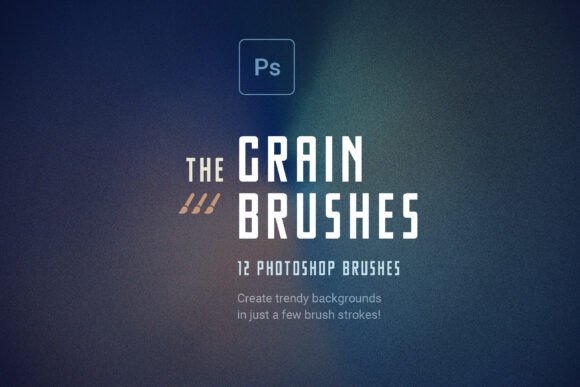
Grain Background Photoshop Brushes is a specialized set of digital brushes designed to add texture and depth to artwork created in Adobe Photoshop. These brushes simulate the tactile qualities of physical surfaces such as fine-art paper, vintage film, and concrete, helping digital artists break away from the overly smooth, flat appearance that often characterizes digital work. Unlike static overlays or filters, these brushes allow for precise, customizable application, enabling users to paint grain exactly where it's needed.
Why Artists Reach for Grain Brushes
Digital art, while versatile and precise, can sometimes feel cold or artificial due to its clean, uniform surfaces. Grain Background Photoshop Brushes aim to bridge the gap between digital and analog aesthetics by introducing subtle, organic textures. This is especially valuable for creatives working in branding, editorial design, and fine art reproduction, where a sense of authenticity and craftsmanship is often desired.
These brushes are particularly useful for:
- Creating cinematic lighting effects by emphasizing shadow depth
- Adding subtle background texture to minimalist designs
- Enhancing portrait photography with vintage film grain
- Refining modern brand assets to feel more tactile and grounded
Key Features and Their Creative Applications
The Grain Background Photoshop Brushes toolkit offers a range of textures, each serving a specific visual purpose. The set includes:
- Ultra-fine sand – ideal for softening gradients in UI design or subtle texture in product mockups
- Soft film noise – useful for giving digital photography a nostalgic, analog edge
- Vintage dust – adds aged character to retro-themed projects
- Heavy concrete grit – great for industrial or urban design aesthetics
One of the standout features is the dynamic pressure control, which allows artists using pressure-sensitive tablets to vary the grain density and opacity based on stroke intensity. This provides a more natural, hand-crafted appearance compared to uniform overlays.
Practical Benefits of Using Grain Brushes
Unlike traditional texture overlays that require layer masking and blending adjustments, Grain Background Photoshop Brushes offer a more intuitive workflow. Artists can paint directly onto their canvas, layering textures with precision and control. This level of customization supports a more organic creative process, where texture becomes an integrated part of the composition rather than an afterthought.
Another major benefit is the ability to create infinite background textures. Because the brushes are seamless and scalable, users can generate backgrounds of any size without visible tiling or repetition. This makes them particularly useful for web banners, social media templates, and print media where large-format textures are required.
Considerations and Tradeoffs
While Grain Background Photoshop Brushes offer many advantages, they are not a one-size-fits-all solution. Artists who primarily work with vector graphics may find that these brushes—being raster-based—require additional steps to maintain scalability. Additionally, users unfamiliar with Photoshop’s brush engine may need time to adjust to the layering and blending techniques necessary to achieve professional results.
It's also important to note that overuse of grain can lead to visual clutter or muddy compositions, especially in projects that require clean, minimal aesthetics. As with any design tool, moderation and thoughtful application are key to achieving a polished outcome.
When Grain Brushes Excel
These brushes are particularly well-suited for projects that benefit from a tactile or nostalgic aesthetic. Examples include:
- Vintage branding – where a hand-crafted or aged look enhances authenticity
- Editorial design – for adding depth to magazine layouts or book covers
- Photographic enhancement – especially in black-and-white portraiture where film grain adds emotional weight
- Urban-themed visuals – where concrete or grit textures reinforce the subject matter
For these use cases, Grain Background Photoshop Brushes can provide a level of depth and realism that is difficult to achieve with standard filters or overlays.
Alternatives Worth Considering
Depending on the project requirements, other tools may offer a better fit. For instance:
- Photoshop filters like “Add Noise” or “Grain” offer a quick, non-destructive way to add texture but lack the organic variation and control of custom brushes.
- Texture overlays are easy to apply but often require resizing, masking, and blending adjustments to avoid visible seams.
- Procreate or Illustrator texture brushes may be more suitable for digital illustrators or vector artists who prefer to work outside of Photoshop.
For users who need consistent, uniform grain across multiple projects, a dedicated texture plugin or action set may offer more automation and efficiency than manually painting with brushes.
Setting Realistic Expectations
Grain Background Photoshop Brushes are not a magic solution that will instantly elevate any design. They are a tool—like any other—requiring skill, intent, and context to be effective. Users should expect to spend time learning how to layer and blend the textures appropriately, especially when working across different lighting conditions or color palettes.
Additionally, while the brushes are optimized for Photoshop, users working in other platforms such as Affinity Photo or GIMP may find compatibility limitations. Always test brushes with your specific workflow before committing to a purchase or long-term use.
How to Decide If These Brushes Are Right for You
When evaluating Grain Background Photoshop Brushes, consider the following:
- Do you frequently work with digital art or photography that feels too clean or flat? If yes, these brushes can help introduce the subtle imperfections that make work feel more human and grounded.
- Do you value creative control over quick presets? If you prefer fine-tuning every detail, the ability to paint grain exactly where you want it will be a significant advantage.
- Are you comfortable with Photoshop’s brush engine? If you're already familiar with brush dynamics, opacity settings, and layer blending, you'll get the most out of this toolkit.
- Do your projects require a tactile or analog aesthetic? If your work often leans toward vintage, cinematic, or gritty visuals, these brushes are likely a strong fit.
Ultimately, Grain Background Photoshop Brushes are best suited for professionals and advanced hobbyists who seek more expressive control over texture in their digital work. For those who only occasionally need grain effects or prefer fully automated solutions, alternative tools may offer a more streamlined experience.